
Mobile Application My Fibank
Advantages
Banking from your own mobile device
Suitable for
Individuals and Business customers
Fees
No registration fee
Transfers
Lower fees for transfers than the fees for transfers made at bank office

We Are Merging My Fibank & Fibank Token Apps
Confirm all transfers and operations in My Fibank application without the need to use another mobile application.
Advantages:
- Quick authorization of transfers without the need for an additional device
- PINt code for verification of all operations (transfers, operations, contracts and others)
- Self-assisted activation without the need to visit an office
- My Fibank becomes functionally equivalent to an electronic signature (QES), a hardware or software token for remote banking
- When logging in and verifying operations in the web version (fibank.bg), verification via Push notification or QR code scanning is required
You can download My Fibank mobile application from: 


Activation of the mobile application
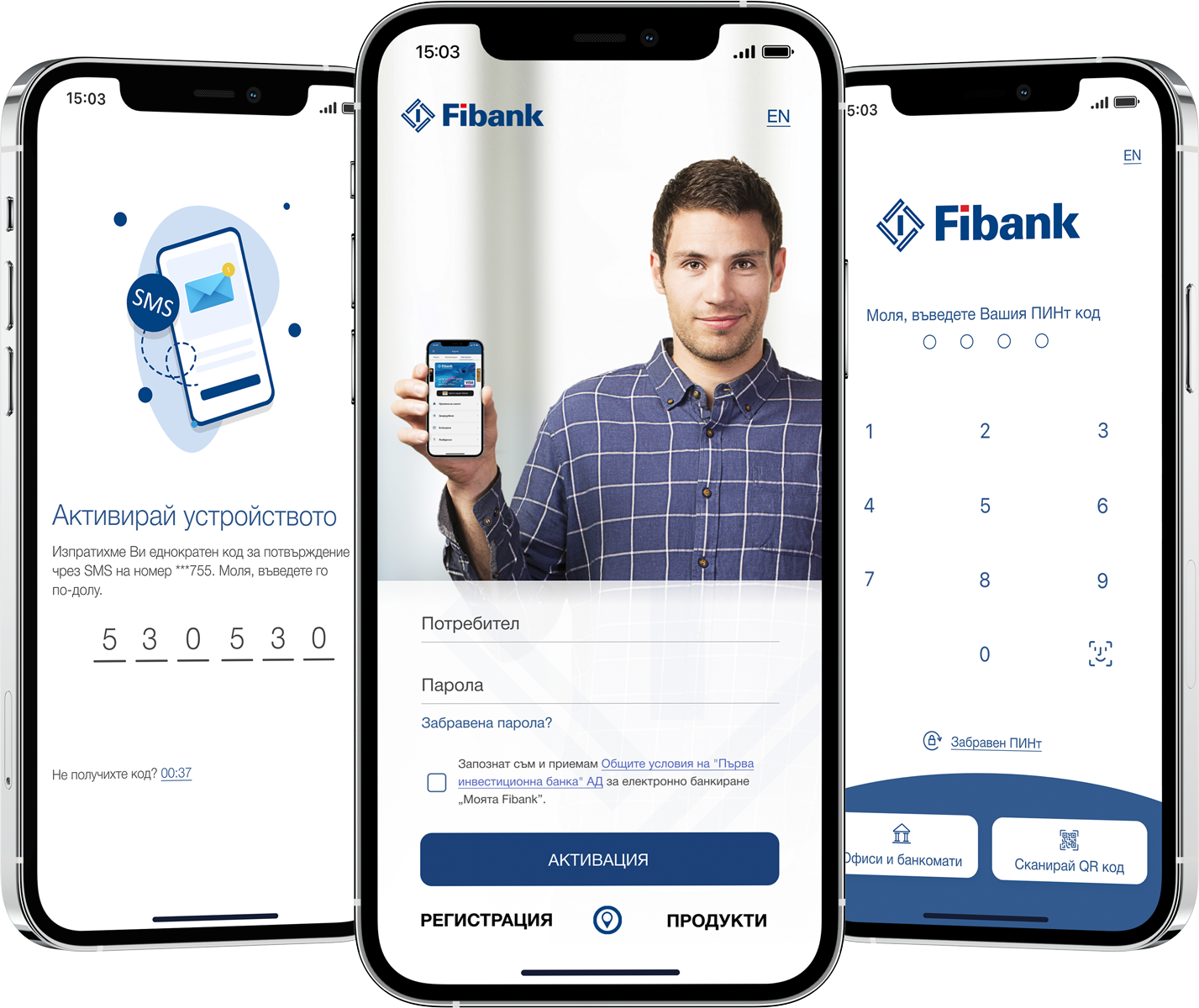
With a few easy steps, you can activate My Fibank mobile application and create your global PINt code to use when logging into the application or signing operations:
1. Download My Fibank mobile application;
2. Enter your username and password;
3. Enter 6-digit code received by SMS in the activation field;
4. Create your global 4-digit PINt code;
5. Choose a preferred method of login and confirmation of operations in the application;
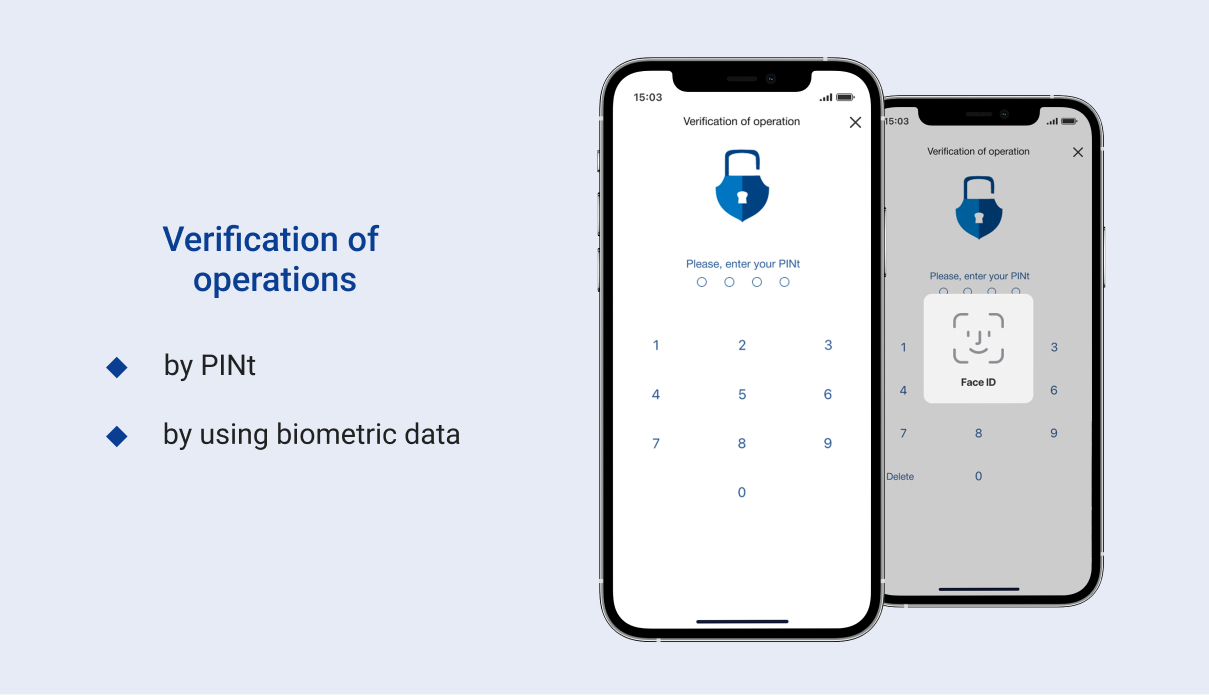
Login and verification of operations
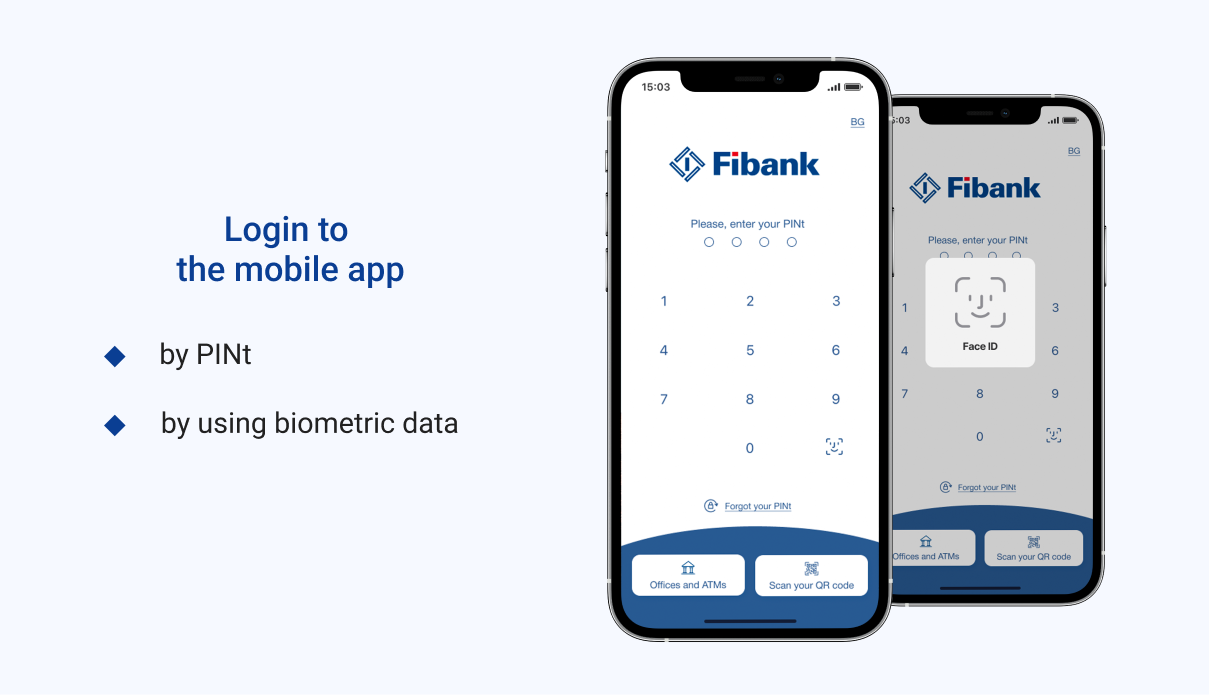
After successful activation, login and verification can be done by PINt or by using biometrics (fingerprint or facial recognition).
Registration in My Fibank
To use My Fibank, you need to register as a user in one of the following ways:
- Online registration:
- registration and verification entirely online at fibank.bg for natural persons, who are holders of a debit or credit card issued by Fibank in their name;
- online request with office confirmation - you can make an online request for registration at fibank.bg, after which you need to confirm it at the Fibank branch most convenient for you.
- On site at Fibank branch
Note: If you already have an existing username, you can access other registrations for which you are a proxy by signing a document at a bank office.
More information about the registration process can be found in the Help menu on my.fibank.bg website
- Registration with verification from Evrotrust mobile application
The registration allows access to the full functionalities of active online banking.
Learn more about the remote signing of documents with a Qualified Electronic Signature (QES) from Evrotrust.
Key features of the application:
Application for a debit card to an existing bank account or to a completely new standard current account for individual customers. Possibility to apply for cards for children and teenagers, as well as microcards in bracelets.
Possibility to deliver newly issued cards by courier - delivery of debit and credit cards by courier to the address specified by you. The fee for the new service is 5.11 EUR.
Activation of cards delivered by courier - fast, easy and secure.
Purchase of electronic vignettes for motor vehicles and trailers.
Active banking by legal entities
- Deactivating/ Reactivating a card – by selecting this option will temporarily limit your card from making payments. You can reactivate the card whenever you want.
- Blocking a card – by using this operation, your card will be blocked without being able to be reactivated again. This service is used for lost or stolen cards.
- Payment of obligations for utility services for individual users.
- Cash desk operations for individual users - possibility for deposit, withdrawal and request for availability of funds from a convenient Bank office.
- Ability to make transfers in the country and abroad with just one click. The smart payment system leads you from the beginning of the transaction to its successful completion. To make banking more quickly and easily, you have the possibility to use templates to your payments. With just one click you can copy and to order transfers.
- Minors from 14 to 18 years old owners of Teen card can take advantage of the application to make transfers between own accounts (Current account and Smart Teen account).
- You get a full and detailed statement on your accounts - check the balance, the amounts of the received and ordered transfers, the opening dates, etc. We made sure that all statements to be presented visually with comfortable graphics.
- You are always informed about your deposits - with the application you can easily see the accumulated interest to the moment, to check the date of maturity and the days remaining to maturity.
- You can easily manage your credit and debit cards - monitor all payments made by them, the available funds you have on your card accounts, which is the utilized credit limit on your credit cards, etc. You can repay the amounts due on your credit cards with just one click.
- Digitalize your VISA and Mastercard® cards:
- in Apple Wallet for iOS users;
- in Google Wallet for Android users*;
- in My Fibank application for Android users*.
* The service is not supported by the version of the application offered by AppGallery.
- In addition you have the ability to determine and change your limits for card transactions without need for visiting a bank office. The limits are valid and running immediately after the change and the service is totally free.
- You can quickly locate branches and ATMs of Fibank through the map in the application - you can easily locate which are our closest branches and ATMs, see their working hours and contact details and use Maps to get quickly to them. For your convenience, we have uploaded latest pictures of our branches and offices.
- Information on exchange rates - you can monitor in real time "purchase rate" and "selling rate" of Fibank for the currencies with which the Bank operates.
- You can select settings and your work with the application will be even more convenient and enjoyable. For more information - see your profile in the application and the "Profile" menu.
We did not forget your security:
You have various options to choose limits of transactions and security settings such as duration of session, change the type of banking, etc.
- You can choose your preferred method for accessing and identifying in the application: biometric data or PINt;
- You have the option to change your Secret Question, required when using the “Forgotten Password” feature;
- You can change your PINt and securely update your mobile phone number.
Limit levels for transactions:
The limit levels represent the maximum amounts up to which each client can initiate transfers.
The limit levels apply to individual clients and are as follows:
- a daily limit of EUR 50,000 or the equivalent amount in another currency;
- a weekly account limit for executing payment operations of EUR 102,000 or the equivalent amount in another currency.
Any individual client who wishes to carry out payment operations with limits different from those set by the Bank may request a change by submitting a personal application at a Fibank branch and specifying their own personal limits for payment operations.
Supported operating systems:
The application is available for iOS and Android, with mandatory minimum requirements for the version set by the developers (the Bank).
The minimum requirements at the moment are: Android OS v.8.0 and iOS 17.0.
My Fibank mobile application is available for free download from the catalog with applications supported by the respective operating system (Google Play, AppGallery and AppStore).


Legal entities
- Sample form of Power of attorney for a legal entity for registration, change and termination of registration for remote banking doc 42.5 KB
- Sample text of a power of attorney for legal entities for passive distance banking doc 43.5 KB
- Sample text of a power of attorney for legal entities for active distance banking doc 46 KB